
Download Can You Run It – Free PC Game Compatibility Checker
Overview: Why Gamers Trust Can You Run It?
If you’ve ever bought a game only to discover that your rig can’t handle it, you know the frustration of wasted money and missed fun. Can You Run It? (often abbreviated as CYRI) eliminates that guesswork by offering a fast, web‑based analysis of your PC’s hardware and software profile. Developed by System Requirements Lab and Husdawg, LLC, the utility uses the proprietary Instant Expert Analysis engine to compare your system against both minimum and recommended specifications supplied by game developers.
The service is completely free, runs in a browser, and requires no Java—just a tiny detection app that downloads, gathers data, and vanishes without storing personal information. While the accuracy isn’t perfect—developer‑provided specs can be vague—the tool gives a solid baseline, highlighting bottlenecks in CPU, GPU, RAM, and storage. Gamers use it not only to decide whether to buy a title, but also to plan upgrades, balance performance settings, and avoid the dreaded “low‑fps” surprise.
In short, Can You Run It? is a convenient, secure, and regularly updated companion for anyone who wants to know exactly what their PC can handle before clicking “Purchase.”
Core Features That Make CYRI Stand Out
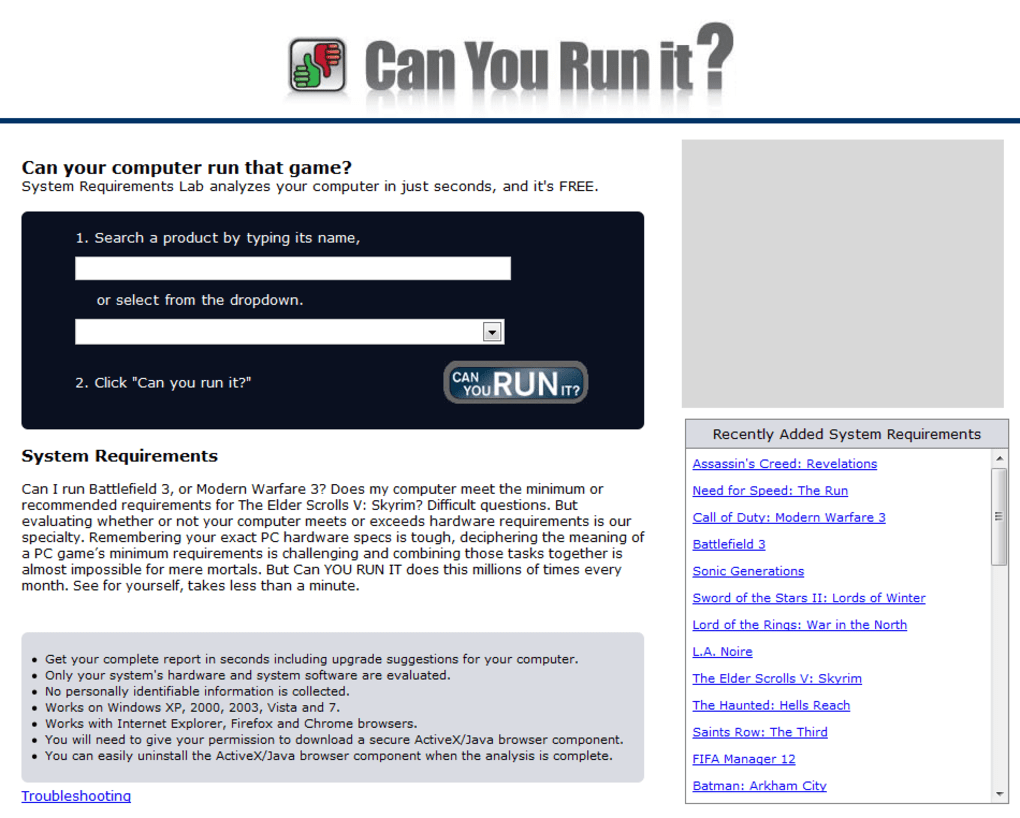
- Instant Game Search: Type a game name, pick from an auto‑complete list, and launch the analysis with a single click.
- Dual Requirement Views: See both minimum and recommended specs side‑by‑side for quick comparison.
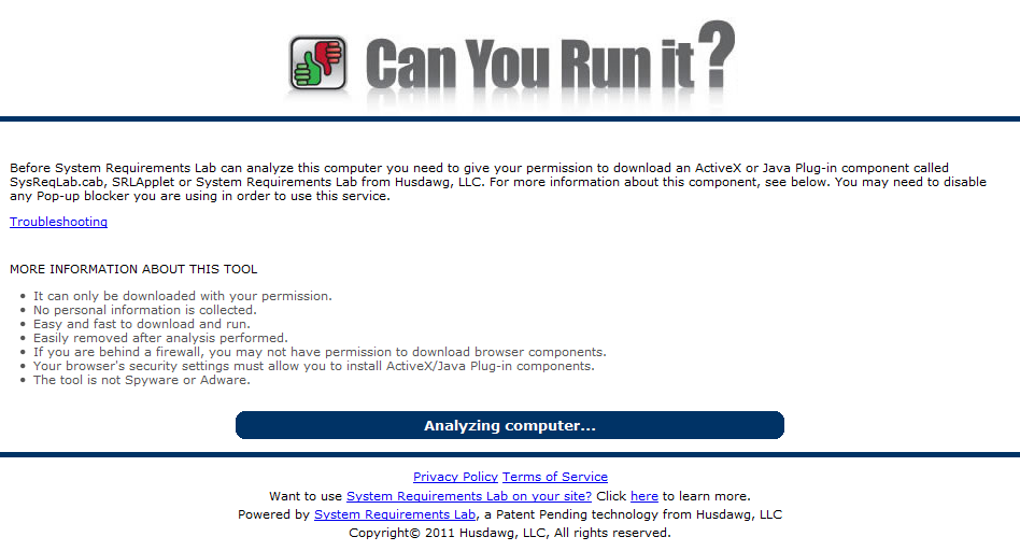
- Automated Detection App: A lightweight downloader runs silently, collects CPU, GPU, RAM, OS, and storage data, then self‑deletes.
- No Registration Required: The service respects privacy—no personal data or accounts are needed.
- Cross‑Platform Insight: Works on Windows, macOS, and even Linux‑based browsers, though the detection app focuses on Windows hardware.
- Upgrade Recommendations: After the scan, CYRI suggests which components (e.g., a stronger GPU or more RAM) would bring the game into the recommended range.
- Community Feedback Loop: Users can report mismatches, helping the database stay current with patches and driver updates.
- Free & Secure: No hidden fees, no ad‑ware, and the download is served over HTTPS.
Beyond the basic checklist, the platform provides a detailed breakdown of each hardware component. For example, the CPU section reports clock speed, core count, and benchmark scores, while the graphics section lists DirectX version support, VRAM, and driver compatibility. This depth is useful for power users who want to fine‑tune settings or verify that a particular DLC won’t push the system over its limits. The interface is clean, mobile‑responsive, and optimized for fast loading—critical for users on slower connections. Overall, the feature set balances simplicity for casual gamers with enough technical detail to satisfy seasoned PC enthusiasts.
Installation, Usage Instructions, and Compatibility
Getting started with Can You Run It? is intentionally straightforward. Follow these steps for a hassle‑free experience:
- Visit the CYRI website: Open your preferred browser (Chrome, Edge, Firefox, or Safari) and navigate to systemrequirementslab.com/cyri.
- Search for a game: Begin typing the title in the search bar. The drop‑down menu will suggest matches; select the correct one.
- Launch the check: Click the “Can You Run It?” button. A new page loads showing the game’s minimum and recommended specs.
- Download the detection app: Press the CYRI button that appears beneath the specs. The tiny installer (<10 MB) downloads automatically.
- Run the detector: Double‑click the file. It will silently collect hardware data—CPU model, GPU name, RAM amount, OS version, and storage capacity.
- View results: After a brief processing period (usually 30‑60 seconds), the app closes itself, and the website displays a comprehensive report.
- Interpret the report: Green highlights mean you meet or exceed the recommended specs; orange indicates you meet minimum only; red flags show where upgrades are needed.
The detection app is built for Windows 7, 8, 10, and 11 (both 32‑bit and 64‑bit). While macOS users can still browse the website and view game requirements, the automatic hardware scan only works on Windows. Linux users can manually input system details, but full automation isn’t supported yet. The web interface itself is fully responsive, so you can run the check on tablets or smartphones, though the detector will still need a Windows PC to gather accurate hardware data.
Security‑wise, the download is signed, and the app runs with standard user privileges—no admin rights are required. Once the scan finishes, the executable self‑deletes, leaving no residual files. Updates to the detection engine are rolled out automatically, ensuring compatibility with newer CPUs and GPUs as they enter the market. In practice, users report a smooth experience on modern hardware, with occasional delays on older machines where the scan takes longer to enumerate components.
Conclusion: Pros, Cons, FAQ, and How to Get Started
Pros
- Free and instantly accessible via any browser.
- Accurate enough for most gamers to make purchase decisions.
- Detailed hardware breakdown helps plan upgrades.
- No personal data collection; privacy‑focused.
- Self‑deleting detection app keeps the system clean.
Cons
- Detection app only supports Windows, limiting macOS/Linux users.
- Results depend on developer‑provided specs, which can be vague.
- Scanning may take 30‑60 seconds on older PCs.
- Occasional mismatches for games that receive post‑launch patches.
Frequently Asked Questions
Is Can You Run It? really free?
Yes, the service is completely free. There are no hidden fees, subscription plans, or required registrations.
Do I need to install any software?
Only a tiny detection app (under 10 MB) is downloaded temporarily to collect hardware data. It runs automatically and deletes itself after the scan.
Can I use CYRI on a Mac?
The web interface works on macOS, but the automatic hardware detection works only on Windows. Mac users must manually input system specs.
How accurate are the results?
Accuracy is generally high for mainstream titles, but it depends on the quality of the developer‑provided minimum and recommended specs. Expect a 70‑80% match for most games.
Is my personal data collected during the scan?
No. The detection app gathers only hardware identifiers needed for the compatibility check and does not store any personal information.
Final Verdict & Call to Action
For gamers who want a quick, reliable snapshot of whether their PC can handle a new title, Can You Run It? offers an excellent blend of simplicity, depth, and privacy. While it isn’t a substitute for professional benchmarking tools, its free, web‑based approach makes it the go‑to first step before spending money on a game or hardware upgrade. If you’re ready to avoid disappointing performance surprises, simply visit the official site, type in the game you’re eyeing, and let CYRI do the heavy lifting. Download Can You Run It? now and empower your gaming decisions with data‑driven confidence.



.png)



